

2025 · SCAN QUEST CRAFTOR
Designing Faster Check-In Workflows for Event Teams
- Ability
- Speed Boost Keeps check-in fast at the gate, even when the line stacks up.
- Habitat
- iOS · Android
Craftor is an event-day operations tool built for two very different people at once: organizers staying on top of everything, and check-in crews who just need things to work fast at the gate. The first release focuses on check-in, the moment where everything either holds together or falls apart.
HOW MVP WAS SCOPED
Rather than trying to cover every creator need at once, the first release focused on the most critical event-day needs. It defined the minimum set of capabilities needed to make Craftor usable at launch, while separating broader creator needs into later phases or out of v1.
- Barcode / QR Code Scanning
- Real Time Report
- Event Listing
- Identity Login
- Attendee List
- Ticket Lookup
- Switch Organization
- Role Based Access
KEY CHALLENGES
Once the MVP scope was defined, the challenge was making the operational flow clear, role-aware, and reliable.
Finding the right event had to be faster and more reliable.
ALIGNING INTENTIONS
Beyond solving usability issues, the first release also had to support the needs of both product and operations.
WHAT ARE THEIR INTENTIONS?
The MVP needed to make event-day needs easier to enter, understand, and complete.
STRUCTURING THE CHECK-IN FLOW
The MVP connected event access, check-in, and recovery into one operational sequence. It supported two valid check-in methods: scanning stayed the default for speed, while Ticket Finder was available as an alternative.
Hover or tap a route to focus it.
CHECK-IN INTERFACES
The flow supported two valid check-in methods: scanning for speed, and Ticket Finder as an alternative.
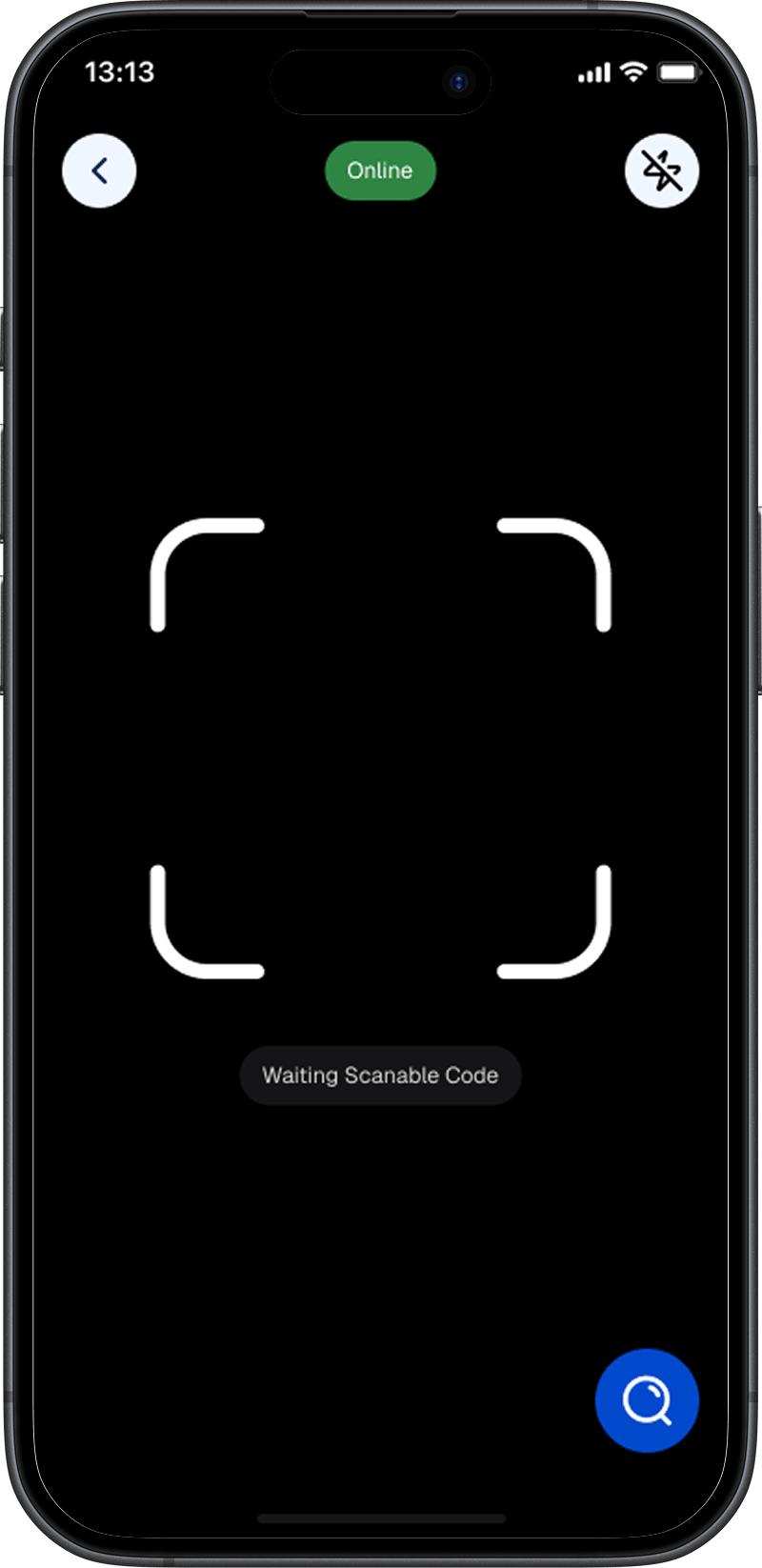
Point, scan, done. The fastest path for the common case, and repeatable under a busy gate.
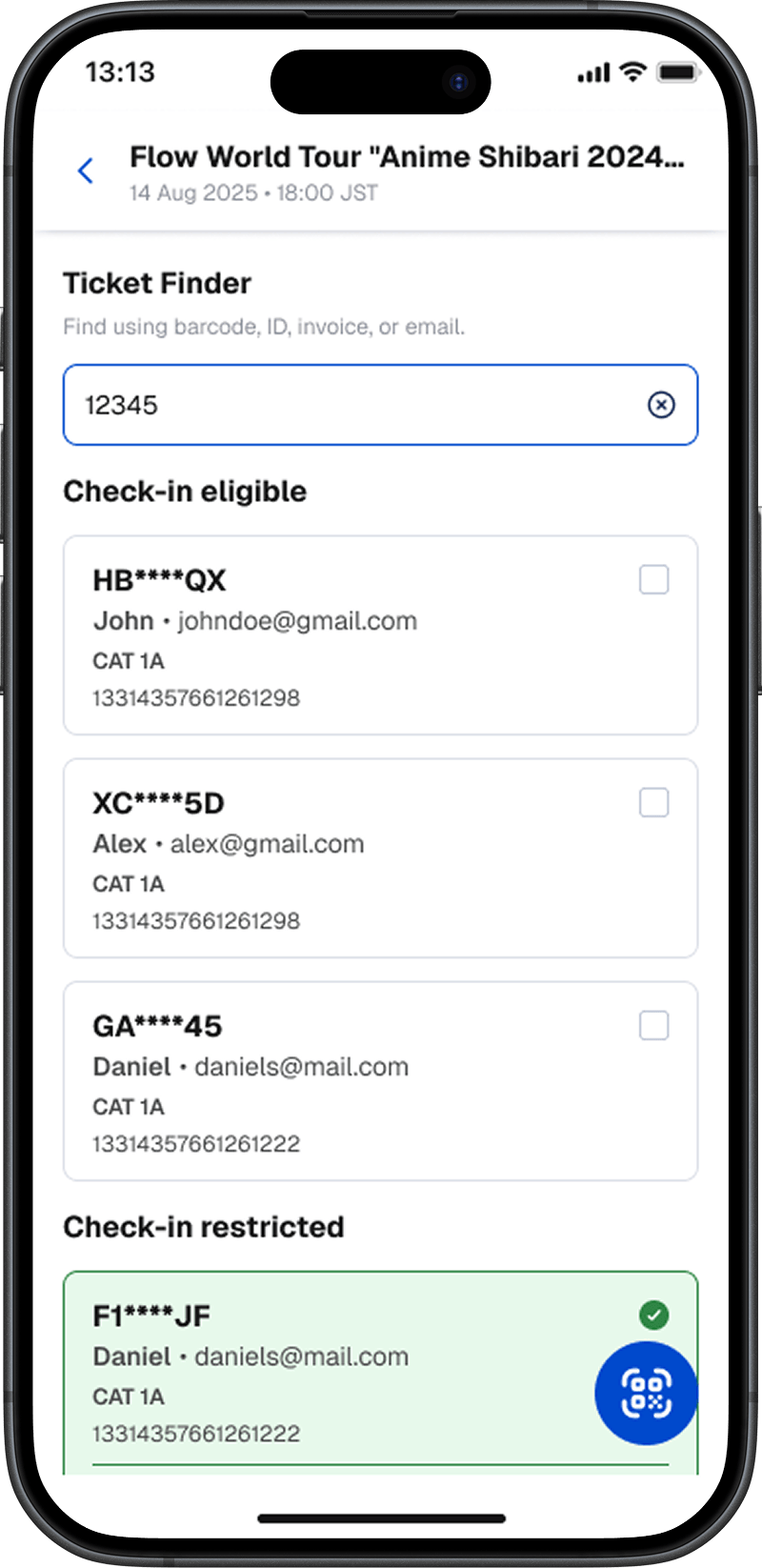
Search by barcode, ID, invoice, or email. Slower, but it adapts when a scan won't land.
ADAPTING EVENT CONTEXT BY ROLE
The same event view adapted what it surfaced first by role, giving crews a more focused operational view and admins broader visibility across progress and performance.
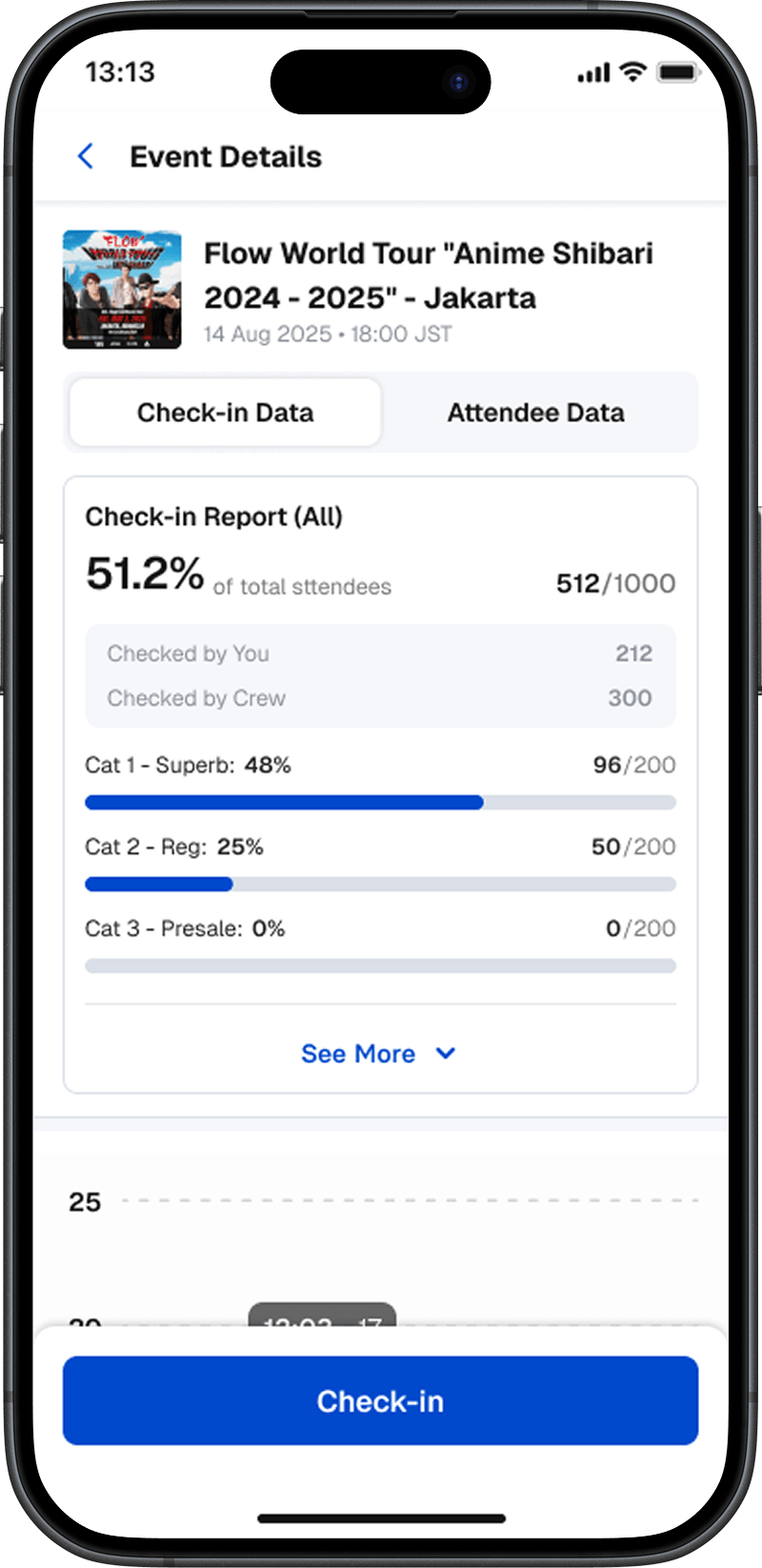
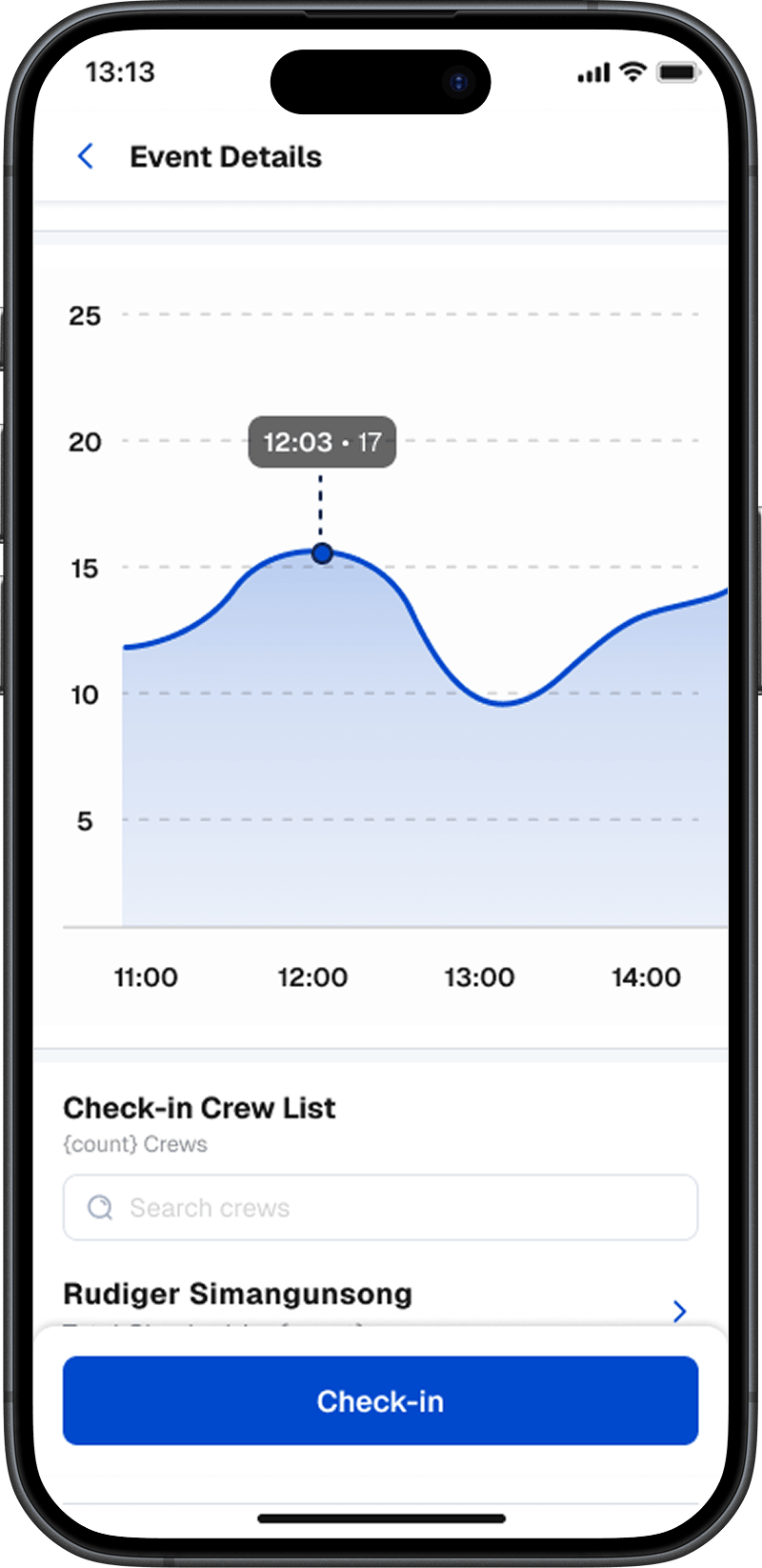
Admin view got more detailed data, including the crew performance across the whole event.
RECOVERY IN PRACTICE
To keep check-in operational in live conditions, the flow also needed clear recovery states and continuation paths.
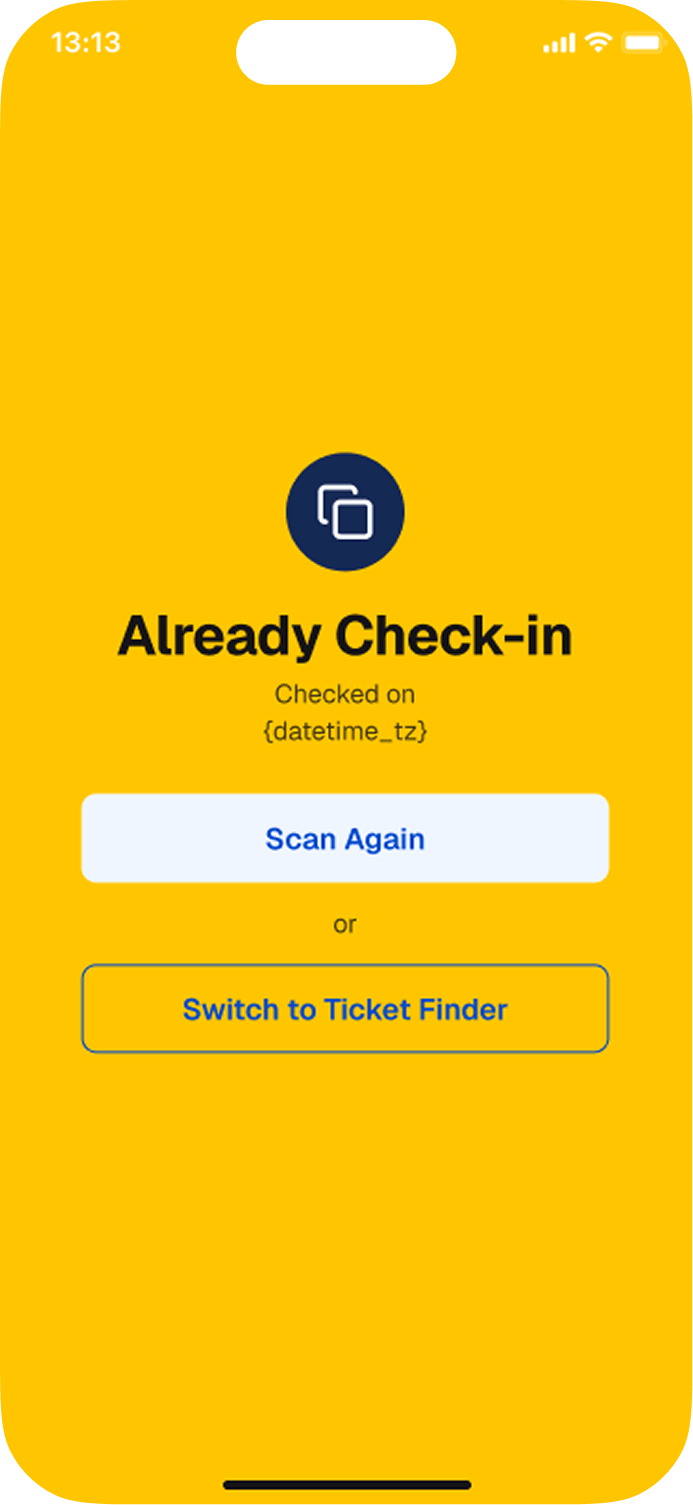
Already Check-In
This ticket was already scanned, so the crew can confirm the earlier entry instead of blocking the guest.
Already Check-In
This ticket was already scanned, so the crew can confirm the earlier entry instead of blocking the guest.
STATUS, EARLY VALIDATION & EXPECTED IMPACT
Craftor was developed as an initial MVP for event-day operations, designed to establish a usable foundation for organizers and check-in crews.
Early validation
One early signal came from live use during Raisa's AmbiVert tour concert. Overall, crew feedback was positive, suggesting the flow felt usable in the field. One refinement point also emerged after rollout: the success state after scanning still needed clearer feedback to make confirmation feel more immediate.
Expected impact
Clearer event-day operations — Teams could move through event access, role-based visibility, and check-in in a more structured sequence.
Stronger role relevance — Admins and crews saw different levels of information based on what they needed to monitor and act on.
LESSON LEARNED
This project taught me that a strong MVP is not about including more, but about making the right things work together from day one. In operational tools, speed, role clarity, and recovery all shape whether the product is actually usable.